Home » Loading fee

Loading fee

Load money to your Smiles account and remit when the rate is to your liking with our Everyday Great Rate.

Loading fee
Classic e-Transfer$1.95
In app e-Transfer
*Maximum $5.25
$1.75 + Load Amount x 0.35%

*Effective February 26, 2025

Please note that a fee of 1.50 CAD will be charged for loading refund requests.
curve graphical curve

Change your lifestyle with Smiles

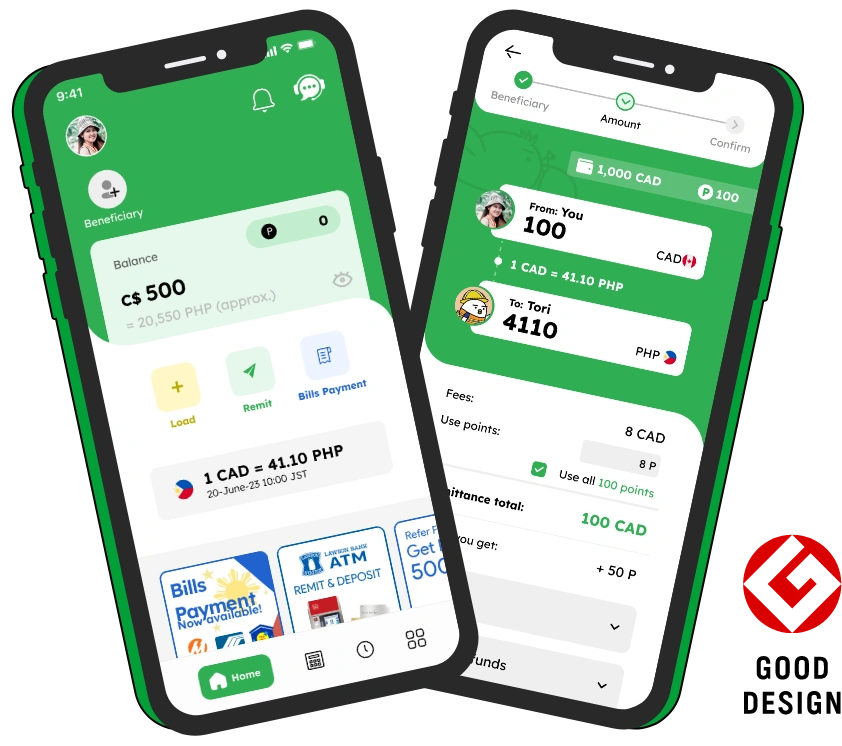
smiles mobile remittance app screenshot

Frequently asked questions

In most cases, your deposit will appear immediately in your Smiles Wallet.

However, the time may vary depending on the loading method you use:

  1. In-App Interac e-Transfer (Recommended Method)
    Processing Time: Usually reflects immediately, but may take up to 5 minutes.
    If it takes longer than 1 hour (60 minutes):
    Please contact our Customer Support Team so we can assist you promptly.
  2. Classic Interac e-Transfer (Manual Method)
    Processing Time: Typically reflects immediately, but in some cases may take up to 24–48 hours.
    Since this is a manual method, processing may take longer.
    If it has not reflected after 48 hours: Contact our Customer Support Team for assistance.

Troubleshooting: Common Issues & What You Can Do

  1. Load not showing up?
    Did you receive an email saying your load was unsuccessful?
    → You must resend the e-Transfer, ensuring the amount, name, and security information exactly match the instructions provided.

    Didn’t receive any email at all?
    → The e-Transfer might not have been completed.
    ✅ Double-check your bank to confirm all steps were followed.
    ✅ If using PaySimply, ensure you have reached the final confirmation screen.

    Tip: If the app shows nothing and your bank still shows the transfer as pending, cancel the transfer via online banking and try again, carefully following all instructions.
  2. Incorrect name or mobile number entered?
    → The transfer will fail.
    You’ll need to cancel and resend the e-Transfer with the correct details.
  3. Wrong amount sent?
    → The amount must exactly match what you entered in the app.
    Cancel and resend with the correct amount.
  4. Insufficient funds?
    → Ensure your account has enough balance before attempting the transaction again.

Need Help? Our Customer Support Team Can:

  • Check if your load was successful in our system
  • Guide you on what to check with your bank
  • Help determine if you need to cancel and resend your transaction.

The loading limit may vary depending on your bank. Most banks set a daily e-transfer limit of CAD $2,000, while some may allow up to CAD $3,000 per day. We recommend checking with your bank for their specific limits.

Smiles Mobile Remittance allows a maximum load of CAD $6,000 within a 24-hour period.

At Smiles, transparency is non-negotiable. We apply two types of fees:

  1. Loading Fees
    You can view the details of our loading fees here.
  2. Remittance Fees
    You can view the details of our remittance fees here.

Even with these fees, Smiles ensures your money goes further. Thanks to our Everyday Great Rate, your beneficiaries consistently receive more. We work hard to secure competitive rates every day—so you get real value, not just low-fee or no fee promises.

For maximum benefit, we recommend loading and sending in larger amounts. This way, your remittance carries more value, and your loved ones receive more where it matters.

You can load your Smiles Mobile Remittance App via bank transfer using PaymentSource, and we offer two methods:

  1. In-App Interac e-Transfer (Recommended – Fast and Automated)
  2. Classic Interac e-Transfer (Manual – May take longer to reflect)

Unfortunately, we don’t have a physical store and do not accept cash payments. This is to ensure greater accessibility and convenience for our users.

With just the Smiles app on your phone, you can easily send money anytime, anywhere. And if you need help, our Customer Service Team is ready to assist you, with support available in English, Filipino, and Vietnamese.

No, you may not use a bank account registered under someone else’s name or a company name to load your Smiles Wallet.
For your own security and compliance reasons, only personal bank accounts under your own name are allowed for loading.

Loading fee
Classic e-Transfer$1.95
In app e-Transfer
*Maximum $5.25
$1.75 + Load Amount x 0.35%

*Effective February 26, 2025

Please note that a fee of 1.50 CAD will be charged for loading refund requests.
See more FAQs
flying Tori
tori's flight path tori flying over with a money bag
footer_smile_logo