Home » Guidelines » How to Remit

Help Center

book icon Guidelines comments icon FAQs Contact Us smiles help center icon Scam Awareness
Help Center > Guidelines > How to Remit

How to Remit

1. Tap “Remit” on the home screen
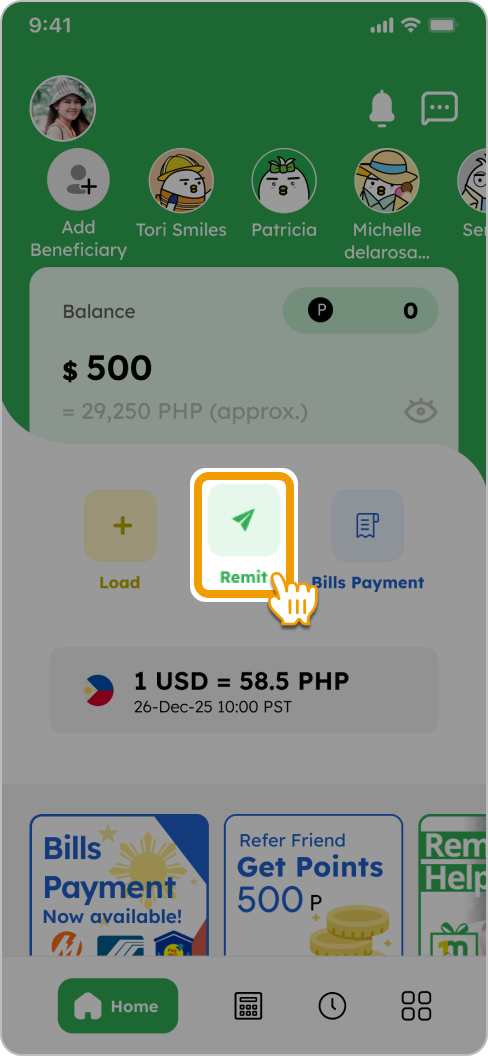
How to Remit Smiles Mobile Remittance - Step 1 - Tap
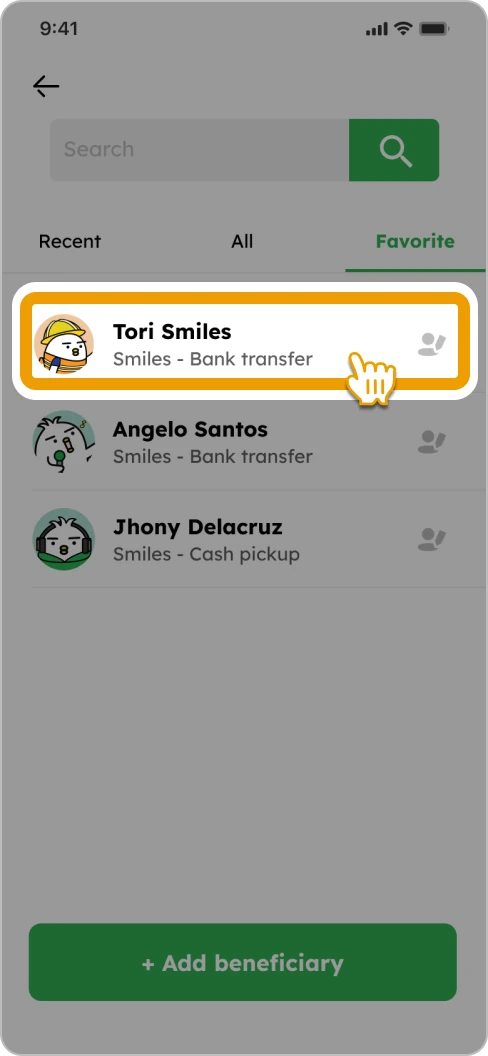
2. Select your registered beneficiary or add a new beneficiary by tapping on “+ Add beneficiary”
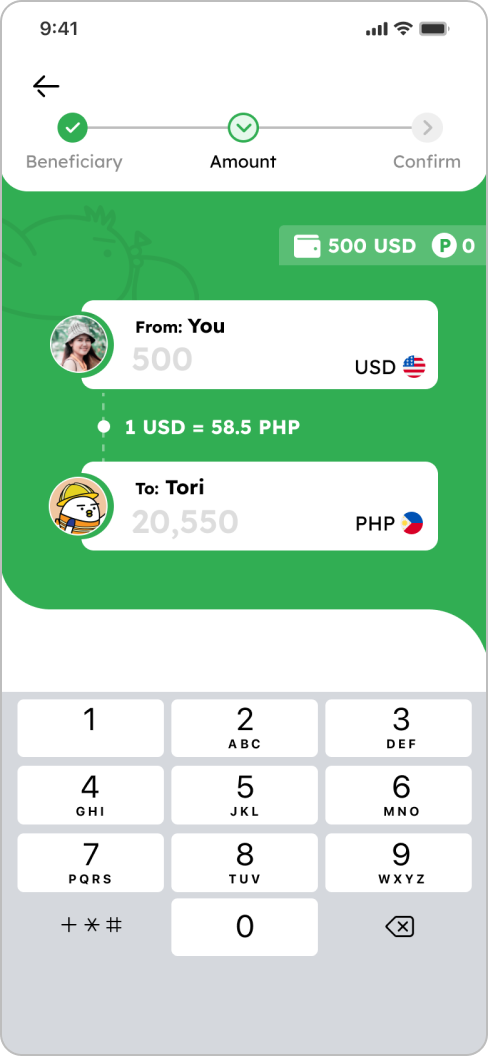
3. Input the amount you want to send
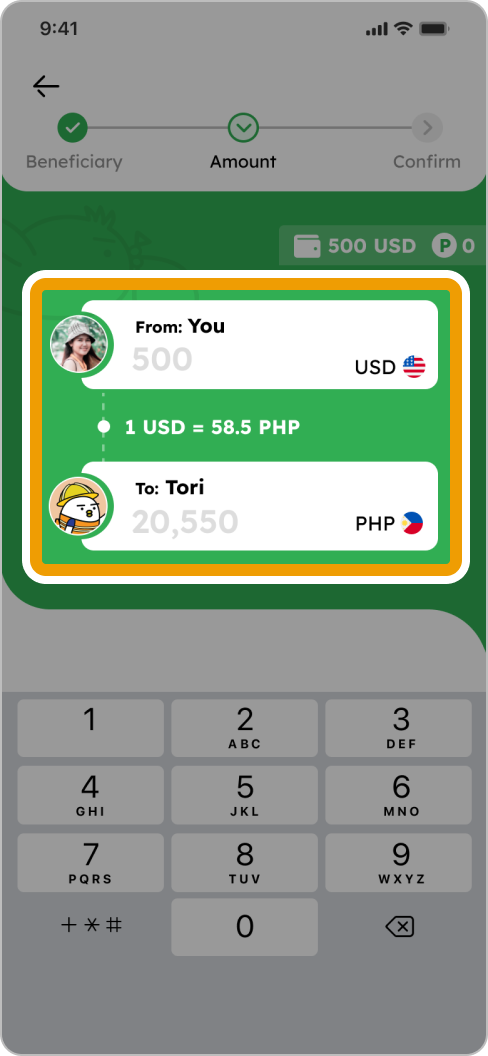
How to Remit Smiles Mobile Remittance - Step 3 - Input the amount you want to send
4. Input points (if you have any), scroll down to bottom, select your “Purpose”, “Source of funds” and tap “Next”
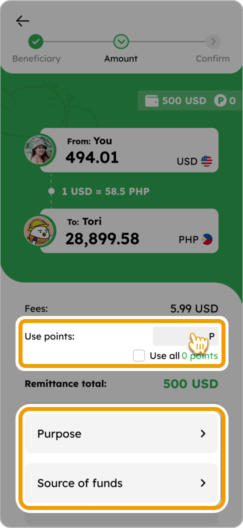
How to Remit Smiles Mobile Remittance - Step 4 - Input points (if you have any), select your “Purpose”, “Source of funds” and tap “Next”
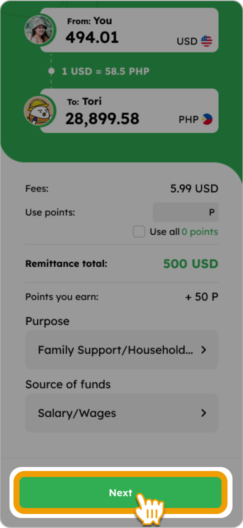
5. Confirm details and tap “Remit to [beneficiary’s name]”
How to Remit Smiles Mobile Remittance - Step 5 - Review the remittance details, check the box and tap
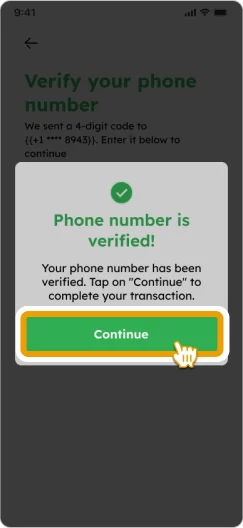
6. Input the 4-digit code sent to your registered phone number and tap “Continue”
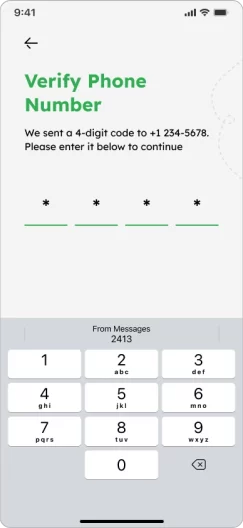
How to Remit Smiles Mobile Remittance - Step 6 - Input the 4-digit code sent to your registered phone number How to Remit Smiles Mobile Remittance - Step 6 - Tap
7. Your remittance is completed and will be processed
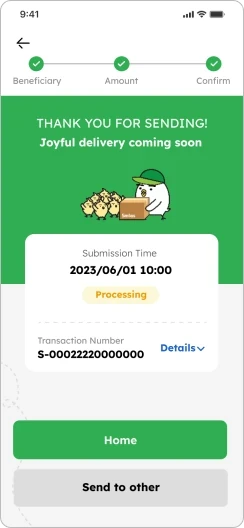
screen showing delivery being in process
tori-reading

Smiles Tips!

down-up-arrow

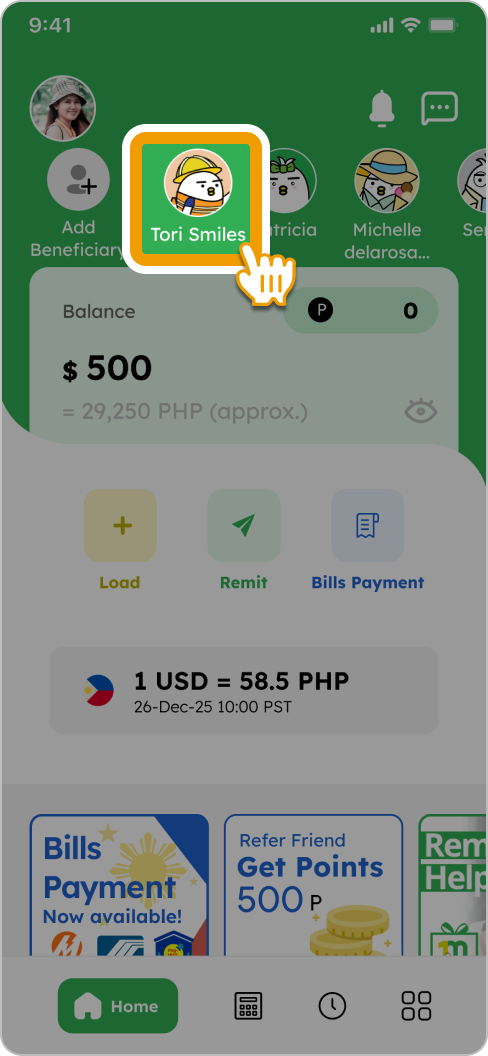
You can add your favorite beneficiaries on your home screen for quick access
FAQs

You are not allowed to send money for business purposes. 

To check the status of your remittance, please do the following:
1. Open the Smiles app
2. Tap on "History"
3. Select the transaction you want to view

Ready For Pick up: your beneficiary may proceed to claim it at pick up location.
Transmitted: that means your transaction has been forwarded to the receiving bank.
Delivered: your transaction is already credited in receiver's account.
Beneficiary received: your transaction has been claimed by the receiver.
On hold: your transaction is being checked by operation staff
Canceled: your transaction is canceled
Refunded: your fund is refunded

You may choose "Others" as a remittance purpose, but you must specify the exact reason.

You can easily lower or zero out your remittance fees by applying your accumulated Smiles Points.
Smiles offers a loyalty program where you earn points for using the service, and these points can be directly used to deduct the cost of your fees.

The maximum amount limits are:
・$1,000/day
・$5,000/month

Bank transfers typically arrive within minutes.
Cash pickups are often available within 30 minutes during agent operating hours.
Mobile wallet transfers are usually instant.

Please be reminded that the time above are estimates and only refer to after 30-Minute Cancellation Right has passed. 

Other guidelines

flying Tori
tori's flight path tori flying over with a money bag
footer_smile_logo