
Help Center
book icon Guidelines comments icon FAQs Contact Us smiles help center icon Scam Awareness
Help Center > Guidelines > How to Make a Bill Payment

How to Make a Bill Payment

1. Tap on the “Bills Payment” button if you’ve already added the function
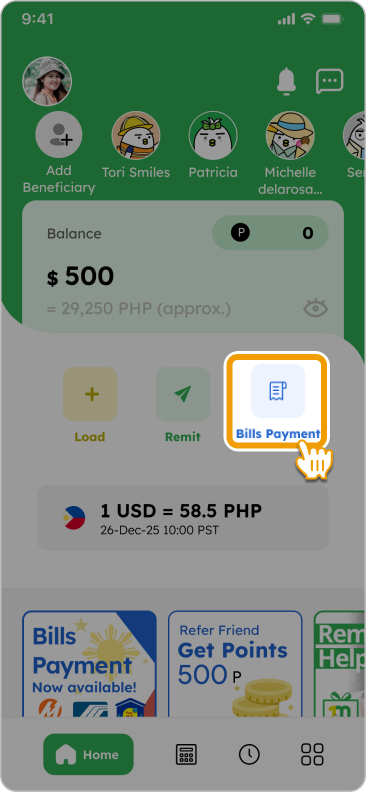
Tap "Bills Payment" on the home screen
tori-reading Smiles Tips! down-up-arrow

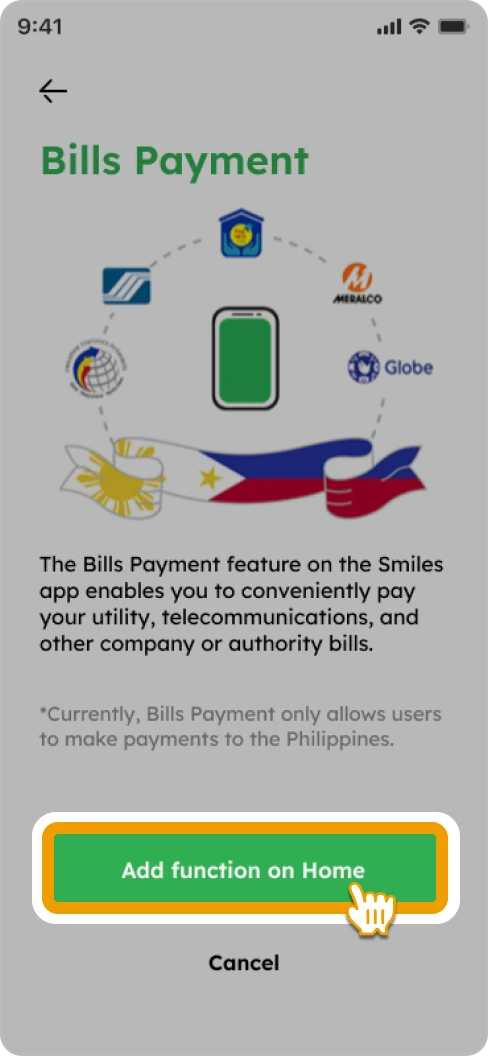
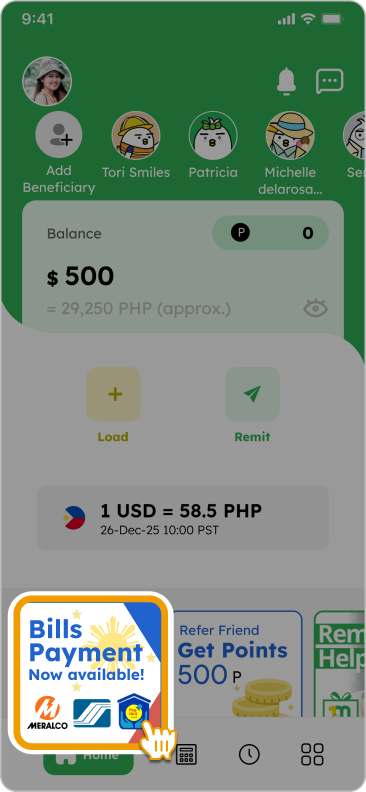
You can add the Bills Payment function by tapping the banner on the home screen
Hide details down-up-arrow

2. Select a company to pay by searching or navigating through the categories
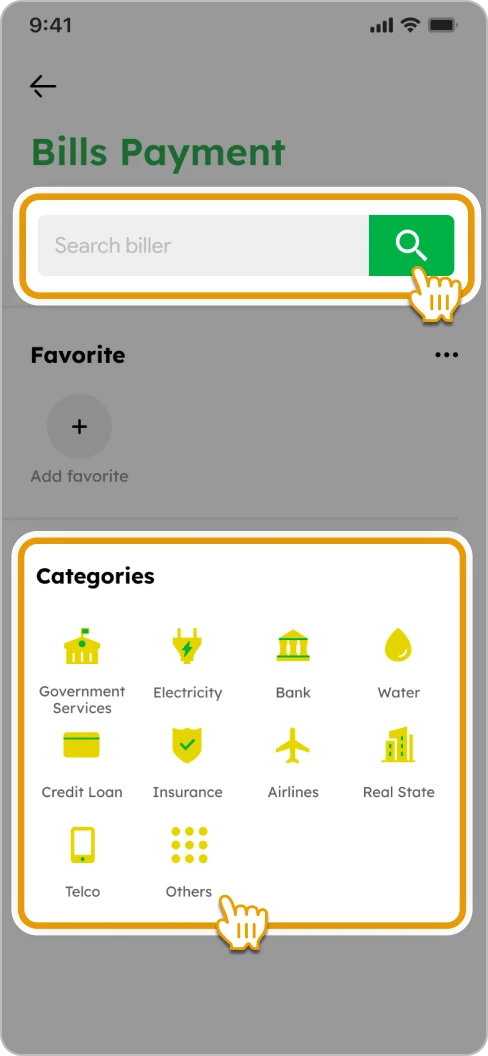
How to Pay a Bill Smiles Mobile Remittance - Step 2 - Search or select a biller

3. Enter the amount and necessary details. You can utilize points for fee payment (if available). Tap “OK” to proceed
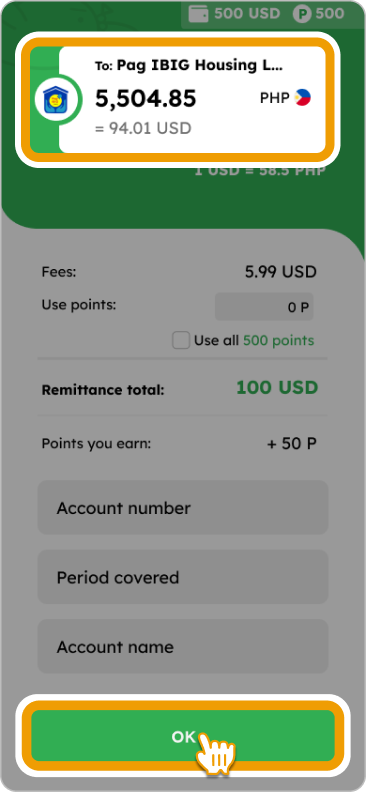
3. Enter the amount and necessary details. You can utilize points for fee payment (if available). Tap “OK” to proceed

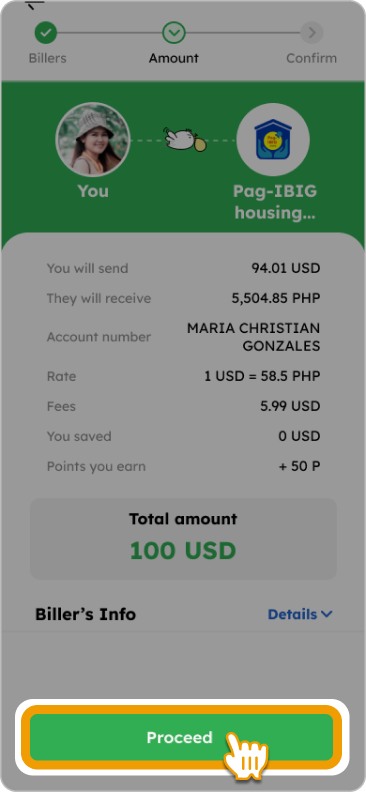
4. Verify the details and tap “Proceed” to pay the bill
5. Input the 4-digit code sent to your registered phone number and tap “Continue”

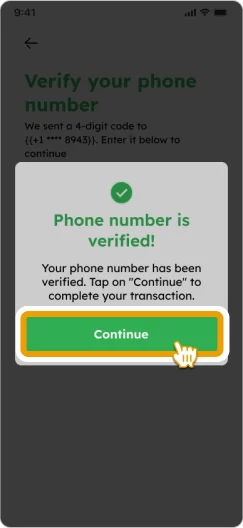
How to Remit Smiles Mobile Remittance - Step 6 - Enter the 4-digit verification code sent to your registered phone number How to Remit Smiles Mobile Remittance - Step 6 - Tap

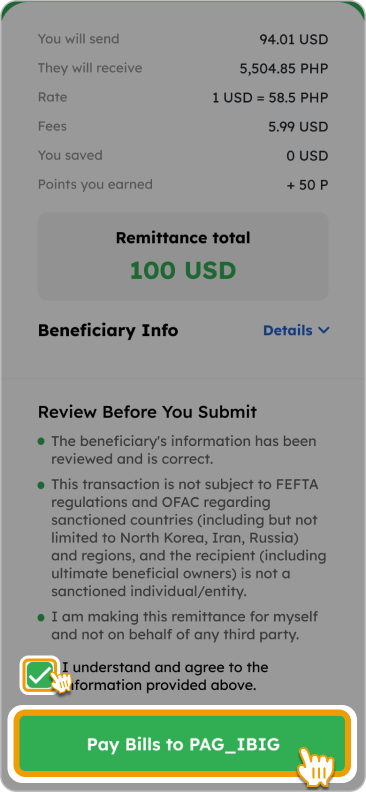
6. Confirm the details and tap “Pay Bills to [Biller’s name]”
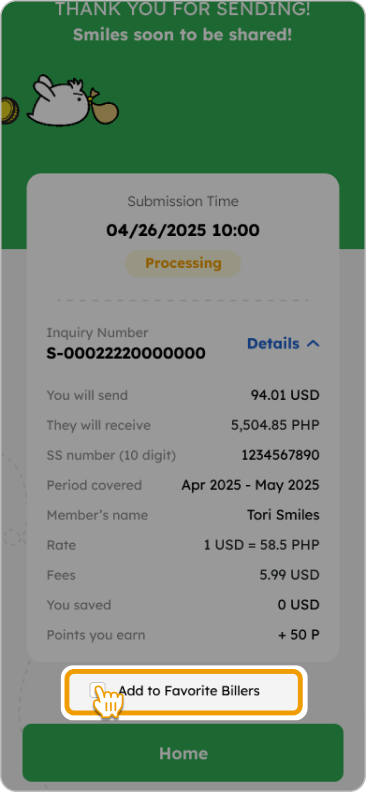
7. Payment completed! Optionally, you can add “Biller” to favorites list, tap “Remit Again” for new payment, or “Home” to return to home screen
FAQs

Yes, you can still process the payment through the Smiles app.

Please be aware that the decision to accept a late payment and the application of any late fees or penalties is made entirely by the billing institution. We recommend checking their policy regarding payments made after the due date.

The transaction itself is processed by the Smiles app almost instantly (within a few minutes).

However, the biller's internal system typically takes one to three days to reflect the payment on the account statement. We recommend always entering correct account numbers and details to guarantee timely posting.

To ensure your payment is posted successfully before the deadline, it's best to pay three days in advance.

This buffer period allows time to resolve any potential technical issues or delays that may occur with the biller's processing system, preventing any late fees or service interruption.

Other guidelines

tori flying over with a money bag
footer_smile_logo