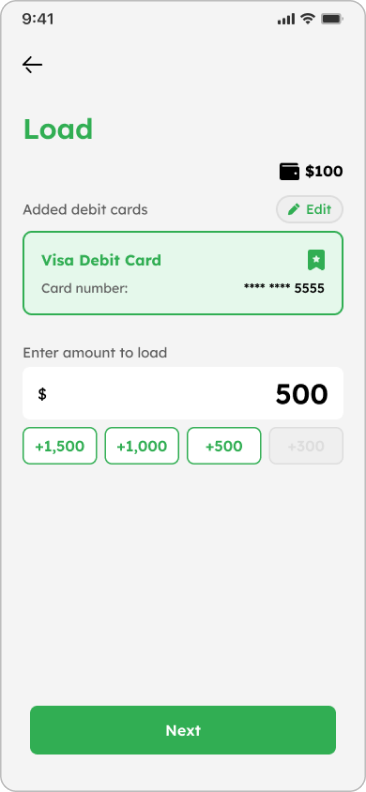
Help Center
book icon Guidelines comments icon FAQs Contact Us smiles help center icon Scam Awareness
Help Center > Guidelines > How to Load via ACH Transfer

How to Load via ACH Transfer

Select one

1
If you’re a first-time customer
Verify account + load
See how to
2
If it’s your second time to load
Load
See how to


Verify account + Load

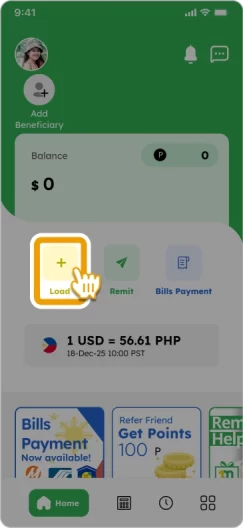
1. Tap “Load” and then “ACH Transfer”
ach-verify-load--1a-tap-load ach-verify-load--1b-tap-ach-transfer

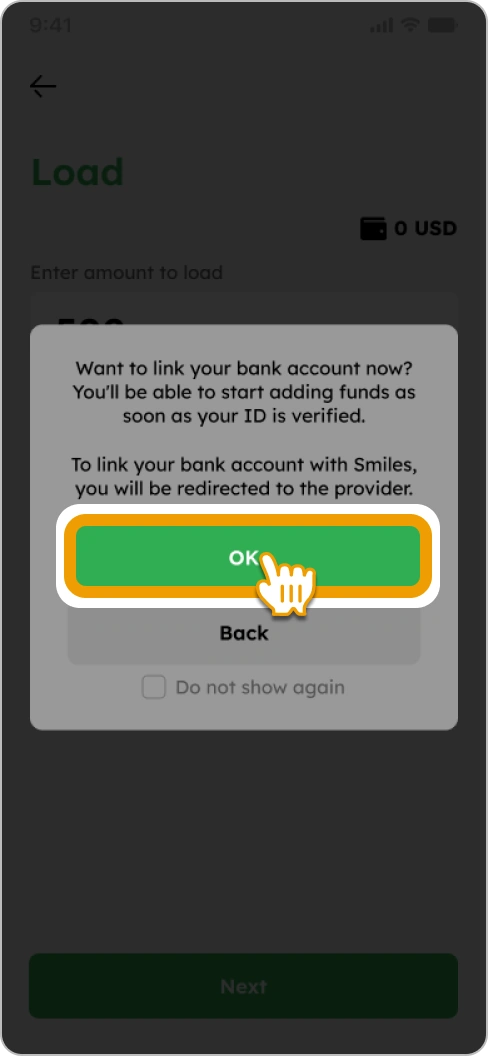
2. Tap “OK” to proceed to our provider

ach-verify-load--2-tap-ok

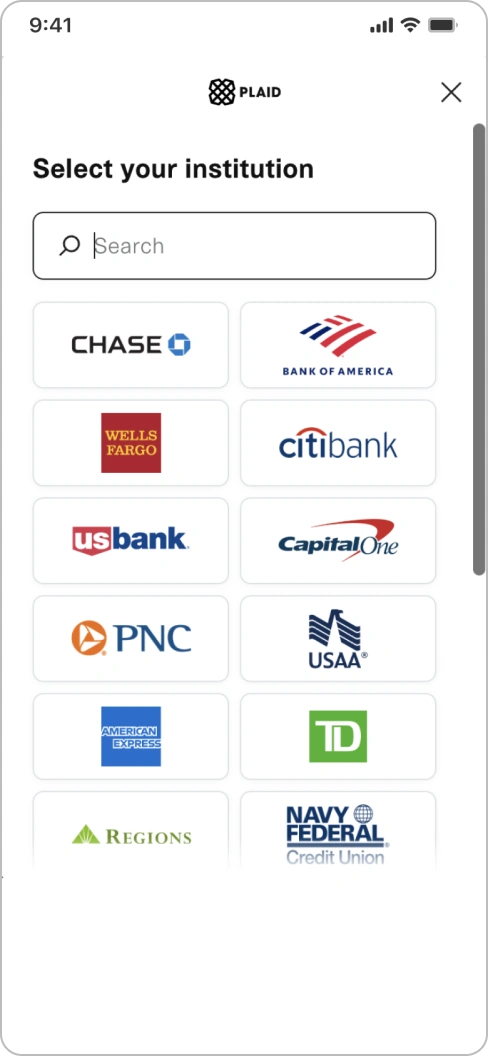
3. Complete the bank account linking process

ach-verify-load--3-bank-account-linking

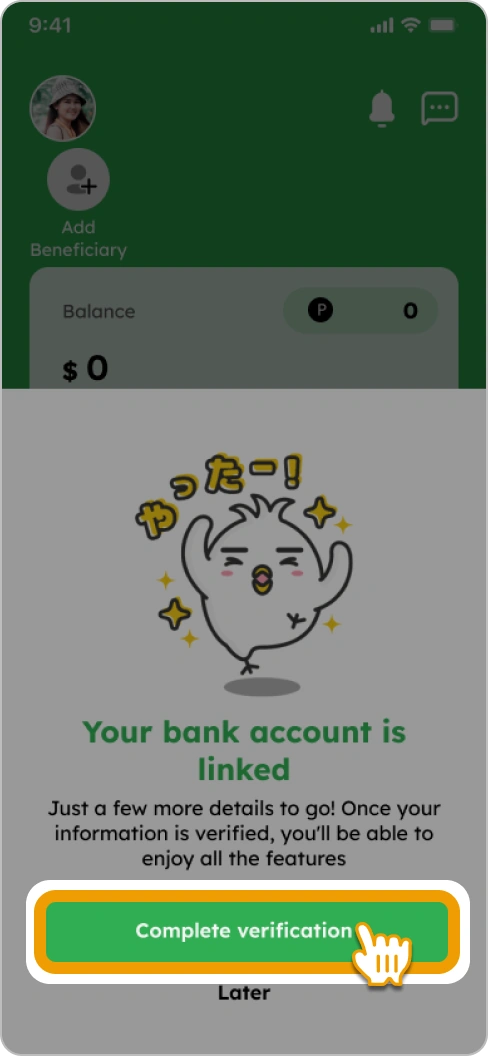
4. Tap “Complete verification”

ach-verify-load--4-tap-complete-verification

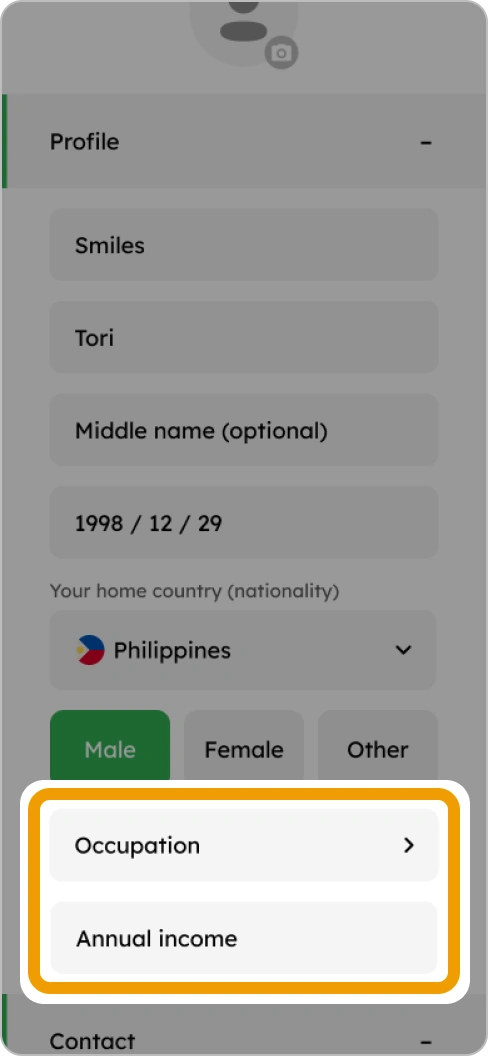
5. Select your occupation and enter your annual income

ach-verify-load--5-occupation-and-income

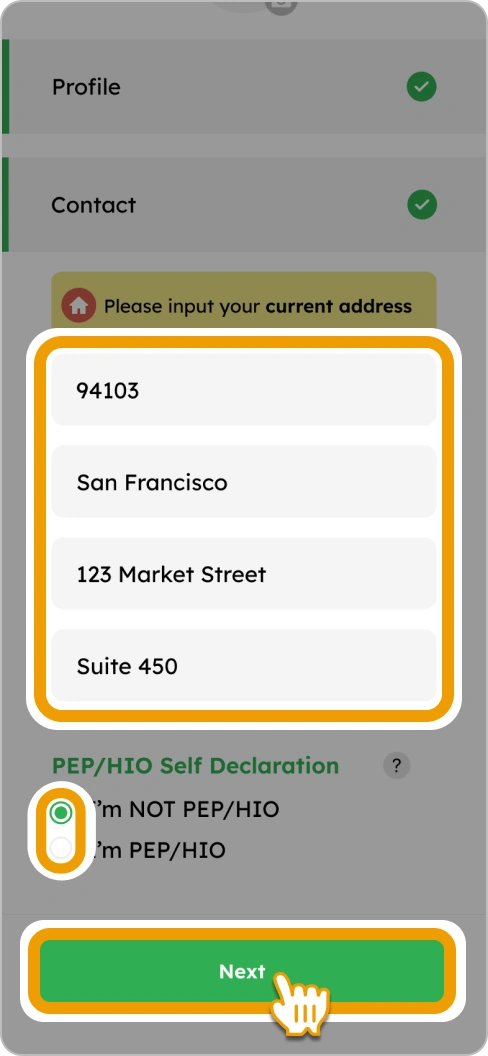
6. Enter your address, select one of the PEP options and tap “Next” to proceed

ach-verify-load--6-address-and-pep

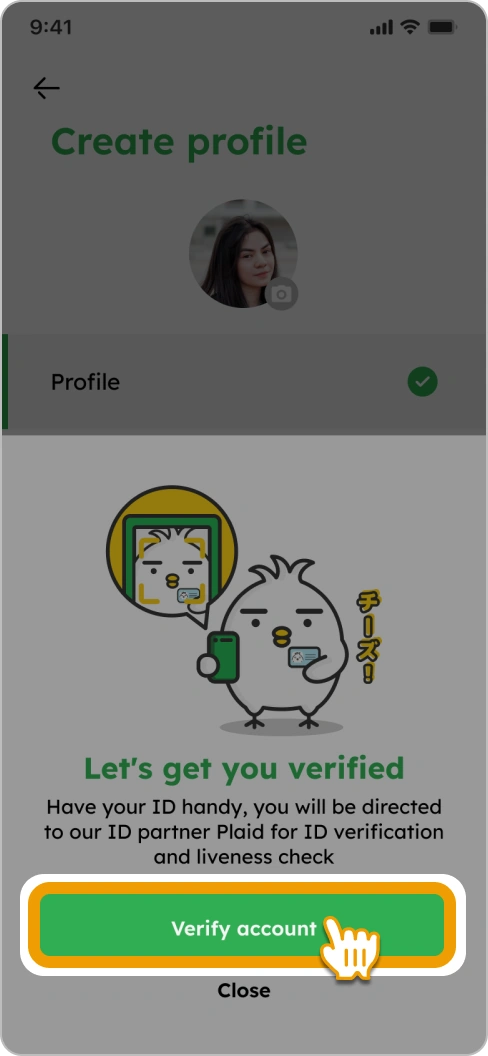
7. Tap “Verify account”

ach-verify-load--7-tap-verify-account

8. Follow the on-screen instructions to complete ID verification

plaid

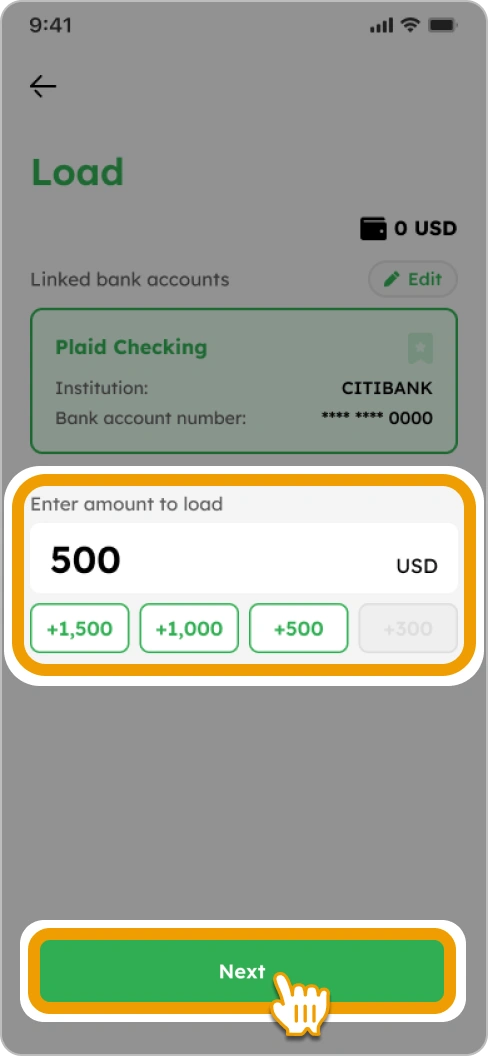
9. Enter the amount you want to load and tap “Next”

ach-verify-load--9-load-amount

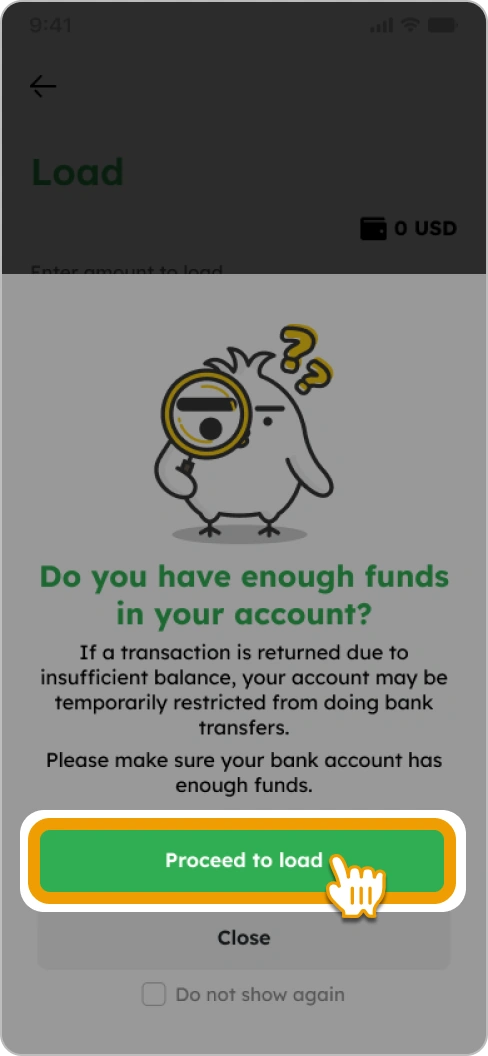
10. Tap on “Proceed to load”

ach-verify-load--10-proceed-to-load

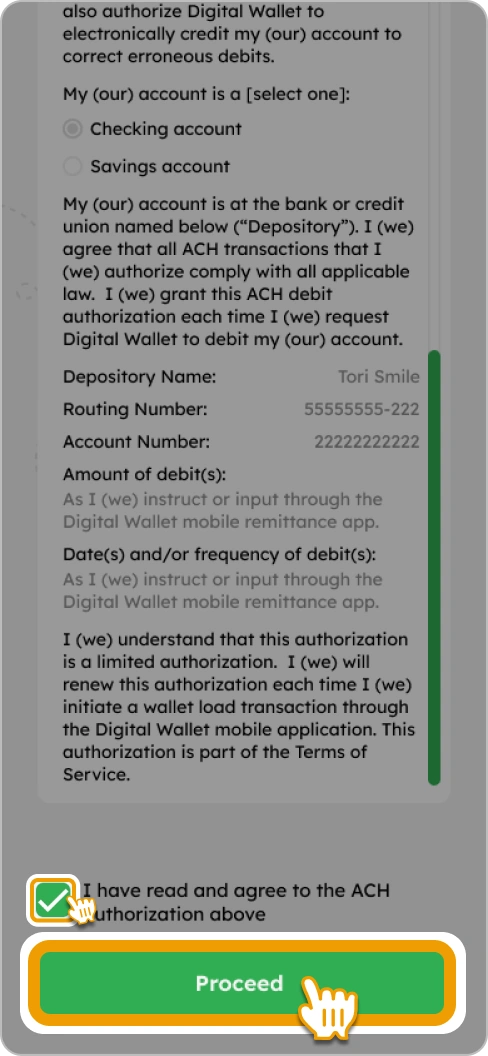
11. Confirm the ACH Authorization Form, check the box and tap “Proceed”

ach-verify-load--11-confirm-ach-authorization

12. Confirm the details and tap “Load” to complete! Once your account is verified, you can start sending money. *It may take 1-3 business days to verify your account.

ach-verify-load--12a-load ach-verify-load-12b-acknowledge


Load only

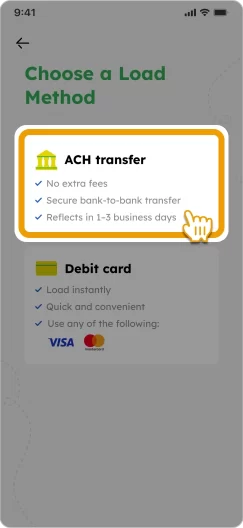
1. Tap “Load” and then “ACH Transfer”
ach-verify-load--1a-tap-load ach-verify-load--1b-tap-ach-transfer

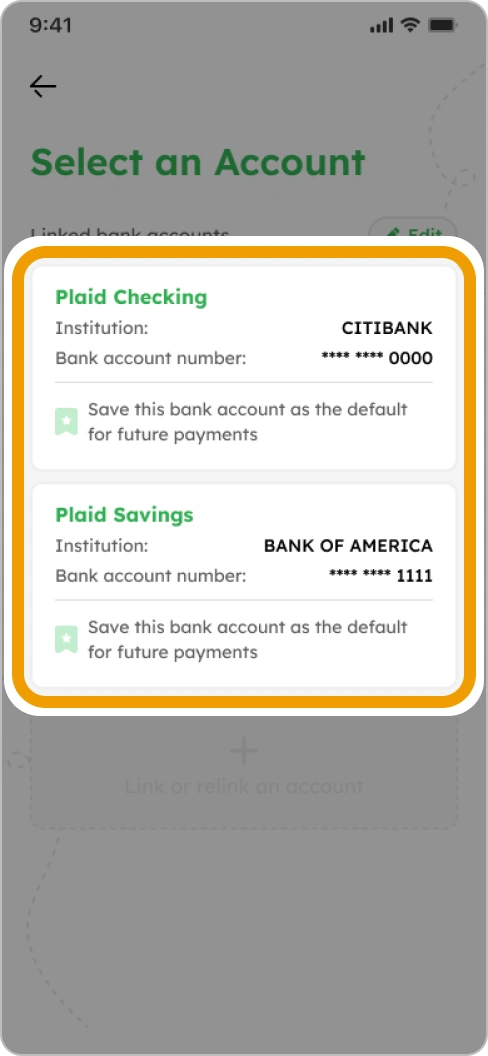
2. Select a linked bank account

ach-load--2-select-linked-bank
tori-reading Smiles Tips! down-up-arrow

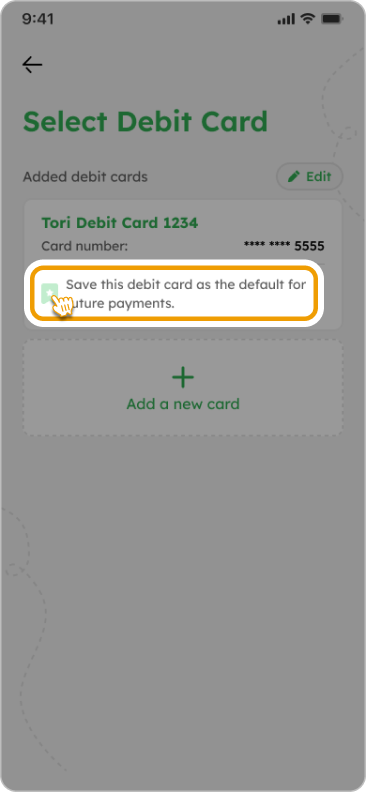
Bookmark your linked bank account for faster future transactions!

How to Load Smiles Wallet - Smiles Tips! - Bookmark your debit card for faster loading
See details down-up-arrow

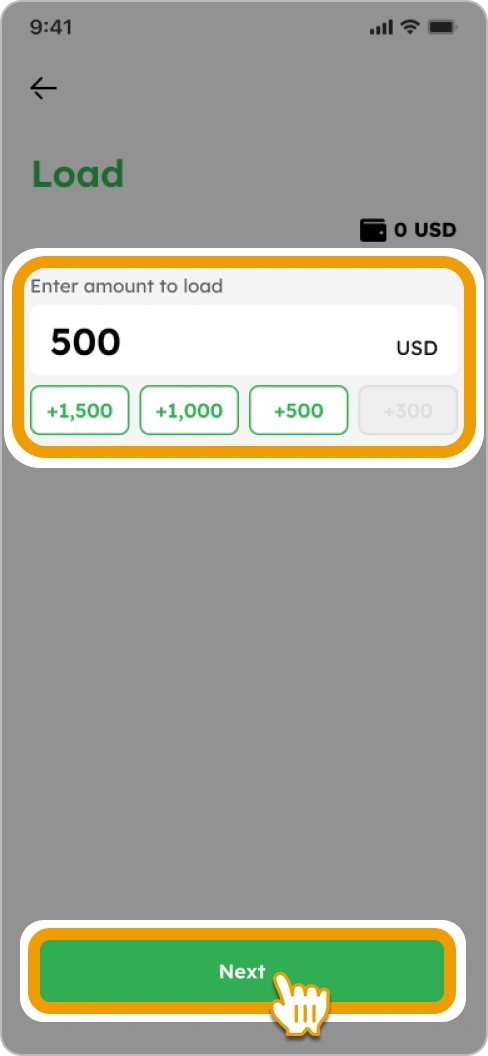
3. Enter or select the amount you want to load and tap “Next”
ach-load--3-load-amount

4. Tap on “Proceed to load”

ach-verify-load--10-proceed-to-load

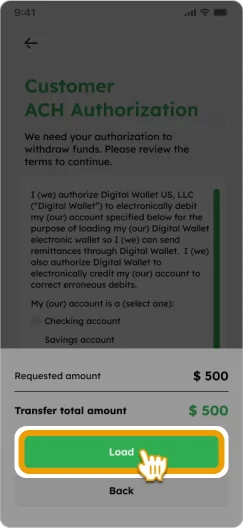
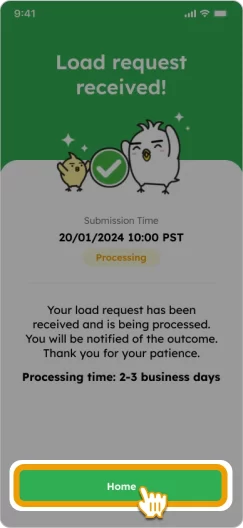
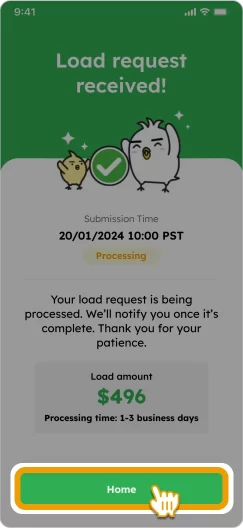
5. Confirm the details and tap “Load” to complete! *It may take 1-3 business days to verify your load request.
ach-verify-load--12a-load ach-load--5b-acknowledge


FAQs

No. You cannot use someone else's bank account or debit card to load your Smiles Wallet. The name on the bank account or card must match the name registered on your Smiles account.

No, you cannot directly withdraw money from your Smiles Wallet account. However, you can request a refund if you'd like to receive the remaining balance.

Please note that you will be charged a $5 processing fee. If you request a refund after the transfer is complete, the refund amount may vary depending on the exchange rate at the time of the refund.

Processing times depend on your loading method:

  • ACH Transfer: Takes 1–3 business days.
  • Debit Card: Loaded instantly.

The maximum balance for a Smiles account is $5,000. If your account already holds $5,000, you will be unable to load additional funds until a remittance is made.

Other guidelines

tori flying over with a money bag
footer_smile_logo