


Prepare one government-issued ID:


Steps to verify account
1. Tap “Secure Account” or “OK”


2. Choose one government-issued ID you hold

3. See how to take ID photo, tap “OK” and take photo
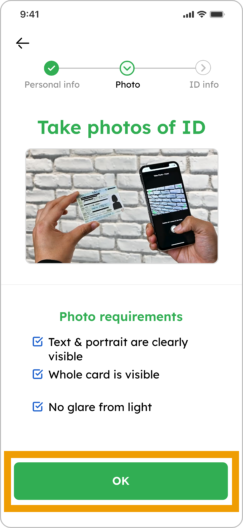
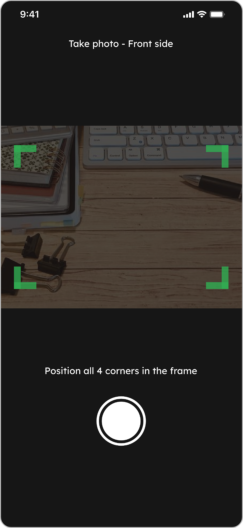
4. If your photo is clear and legible, tap “Take backside of card”

5. Tap “OK” and take photo of card’s backside
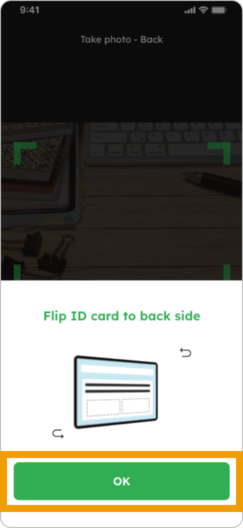
6. If your photo is clear and legible, tap “Take selfie”

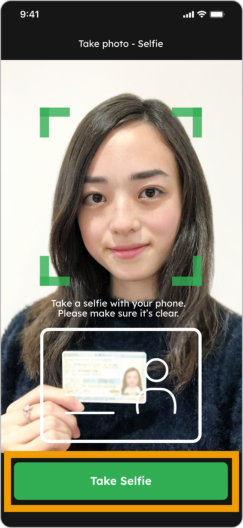
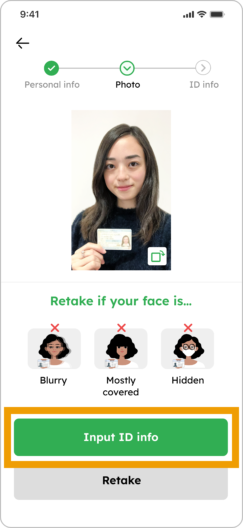
7. See how to take selfie photo, tap “OK”, take selfie photo and if you’re photo is clear enough, tap “Input ID info”.
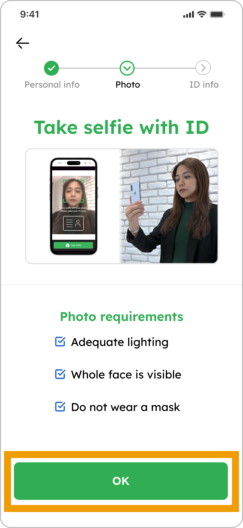
8. Input your details for “ID Info” and tap “Submit to complete”

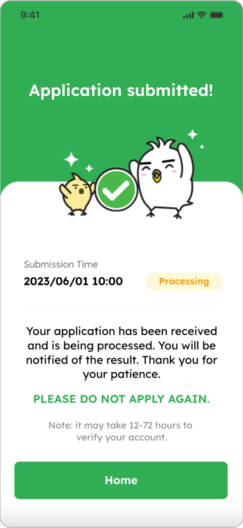
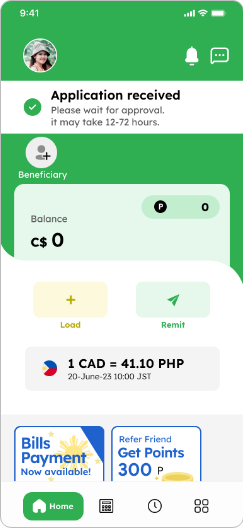
9. Your application has been received! Please wait for approval (no need to register again) *Verification may take 12 – 72 hours to approve
Submit a proof of address
If you submitted one of the following IDs, please also upload a proof of address to help keep your account secure:
- Canadian Residence Card
- Passport
Valid documents include:
- Local Utility Bill
- Local Telecommunication Bill
- Bank Statement
- Credit Card Statement
- Record of employment or pay slip
- Void Cheque
- Official letter containing SIN (Social Insurance Number)
1. Tap “Submit now” or “Submit proof of address”


2. Read the notes, review the list of valid documents and tap “Submit document”


3. Select the type of document you’re submitting


4. Tap “Upload photo”

5. Place your document inside the frame and take a photo. If your photo is clear and legible, tap “Use this photo”


6. Tap “Submit to proceed”

7. Your application has been received! Please wait for approval (no need to register again) *Verification may take 12 – 72 hours to approve
I couldn’t complete my registration
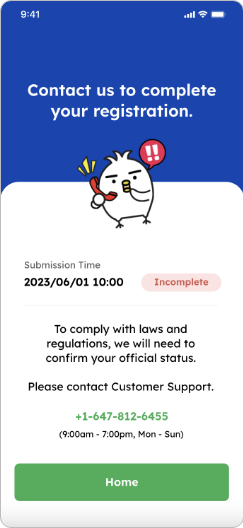
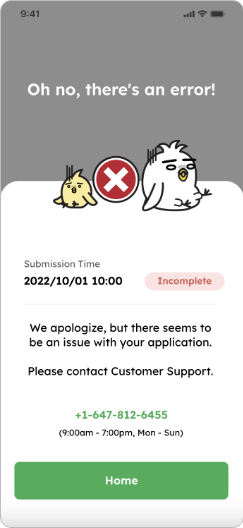
If one of these screens appear, please contact our customer service
+1-647-812-6455
(9:00 a.m. – 7:00 p.m. Mon-Sun)