


08.20.2020
How to log in your ゆうちょ通帳 (Yucho Tsucho)
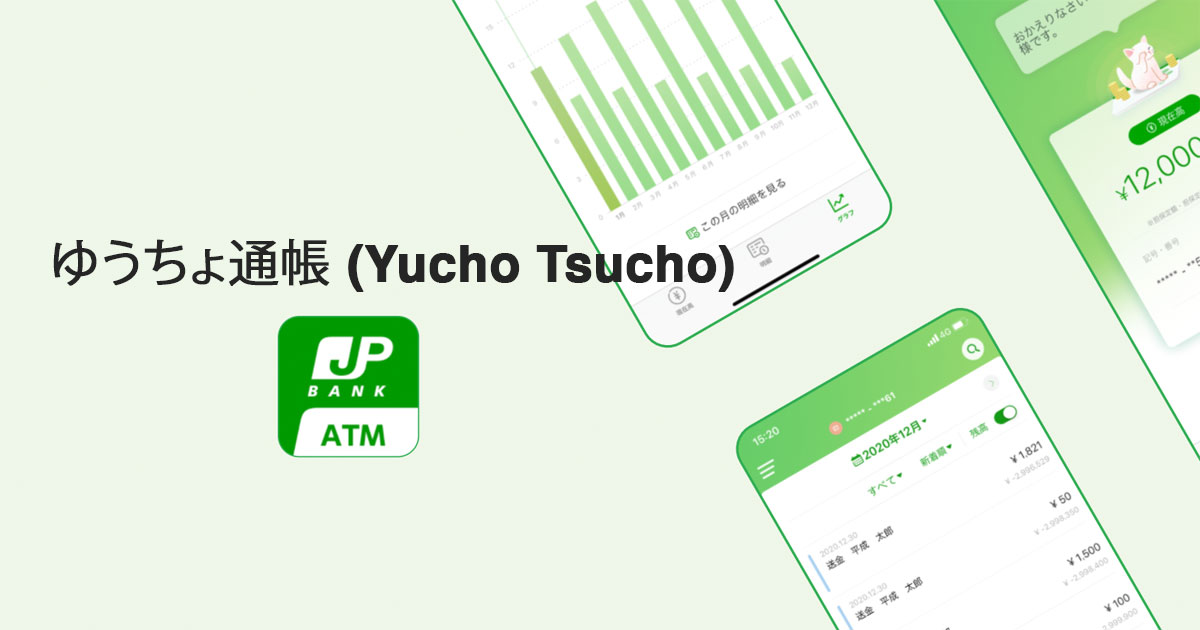
Table of contents
HOW TO LOG IN YOUR ゆうちょ通帳(YUCHO TSUCHO)
Since July 31, 2020, Japan Post Bank (Yucho) has officially stopped the application ゆ う ち ょ ダ イ レ ク ト (Yucho Direct). Instead, Yucho has released two new apps: ゆ う ち ょ 認証 (Yucho Ninshou) and ゆ う ち ょ 通 帳 (Yucho Tsucho).
To check your account information, let download the Yucho Tsucho app!
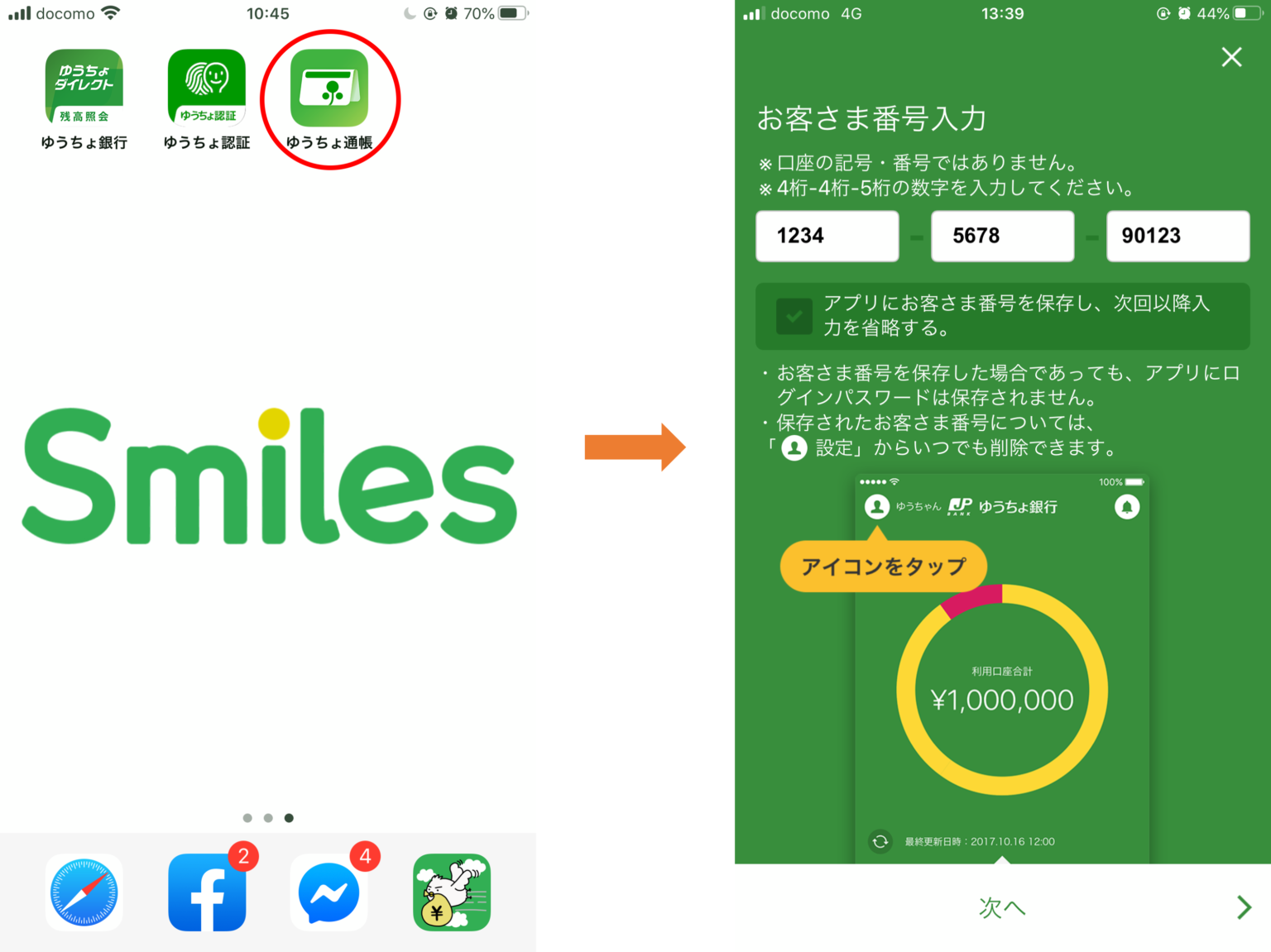
Step 1: Open the App Yucho Tsucho & sign in Yucho Direct.
Enter the customer code. > 次 へ
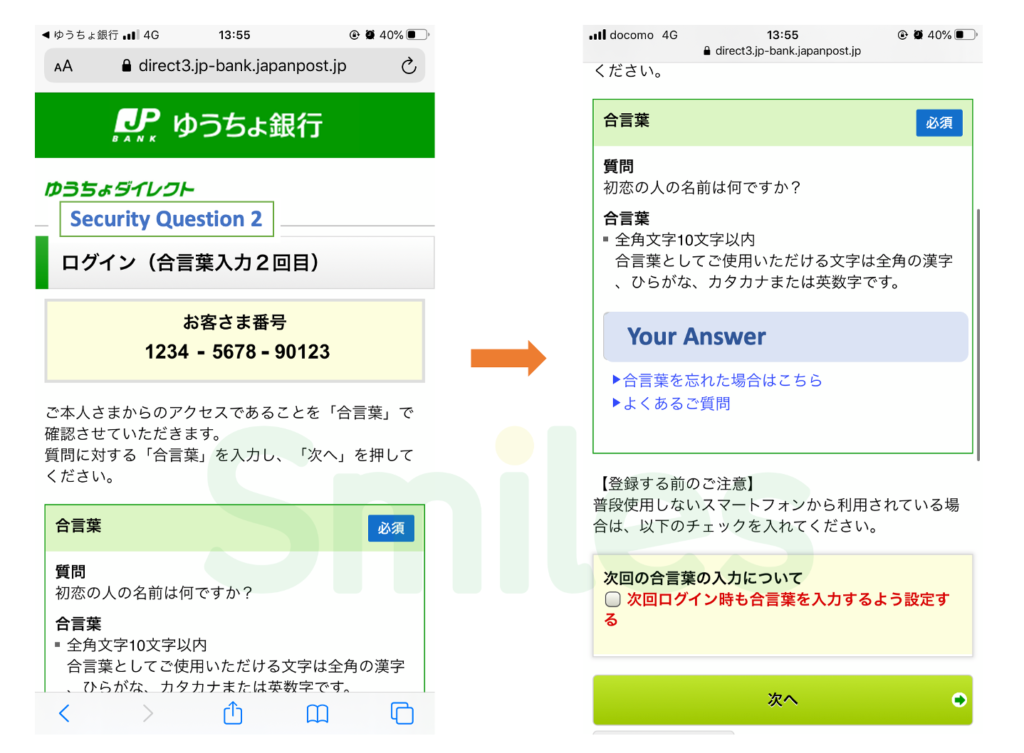
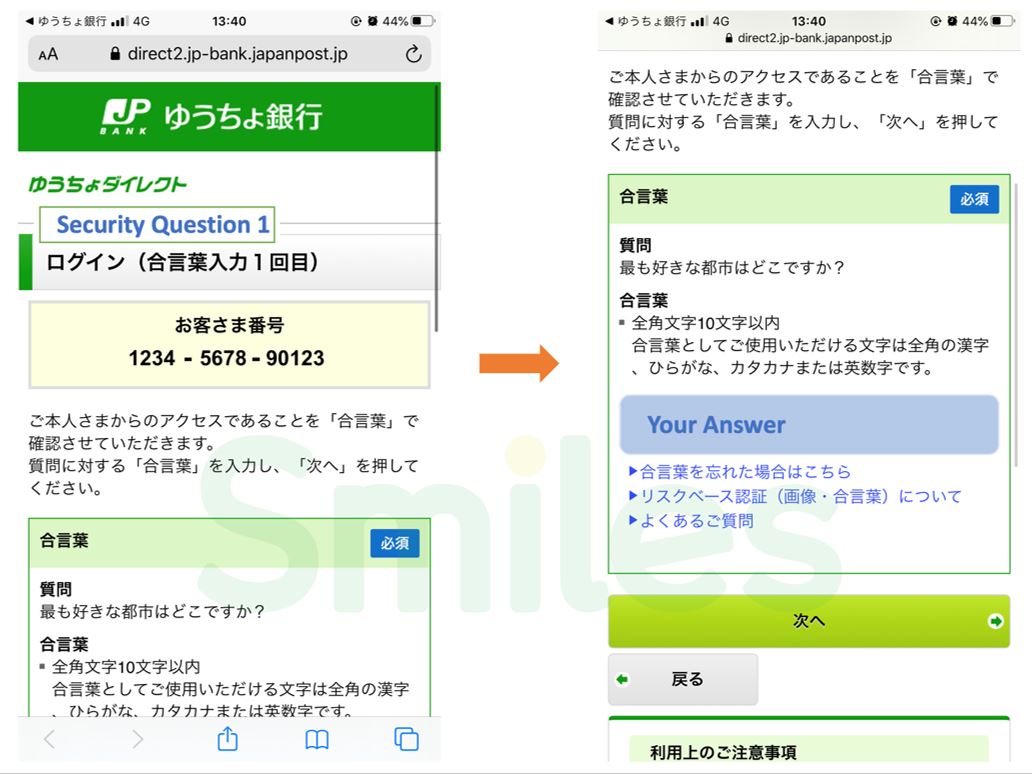
Step 2: Answer security question 1.
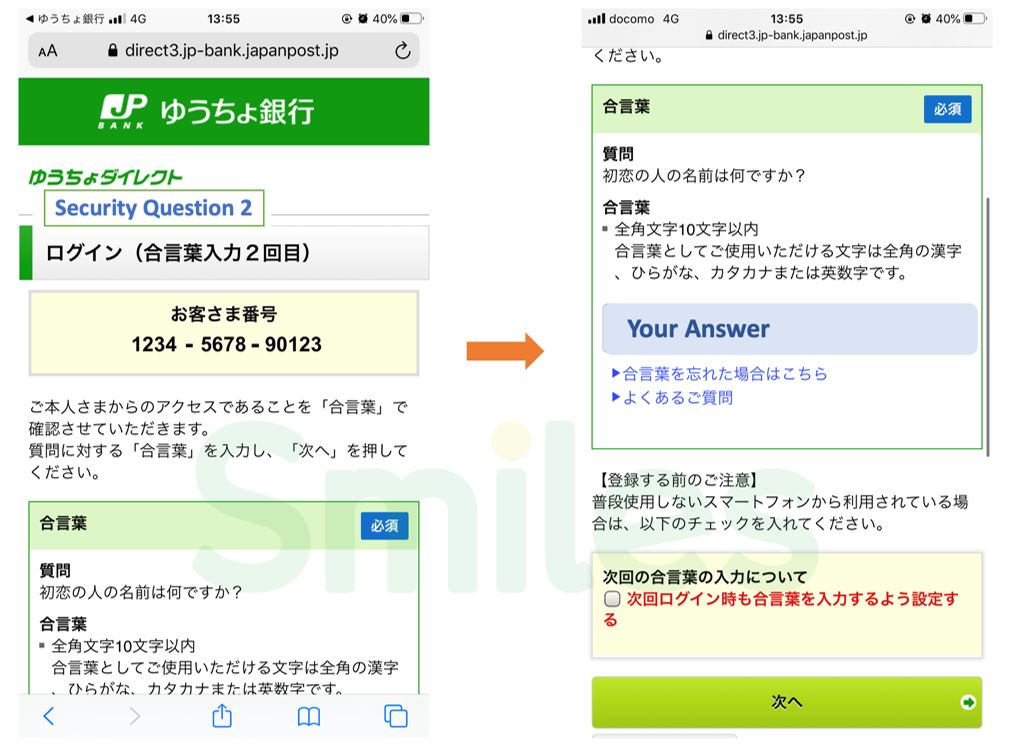
Step 3: Answer security question 2.
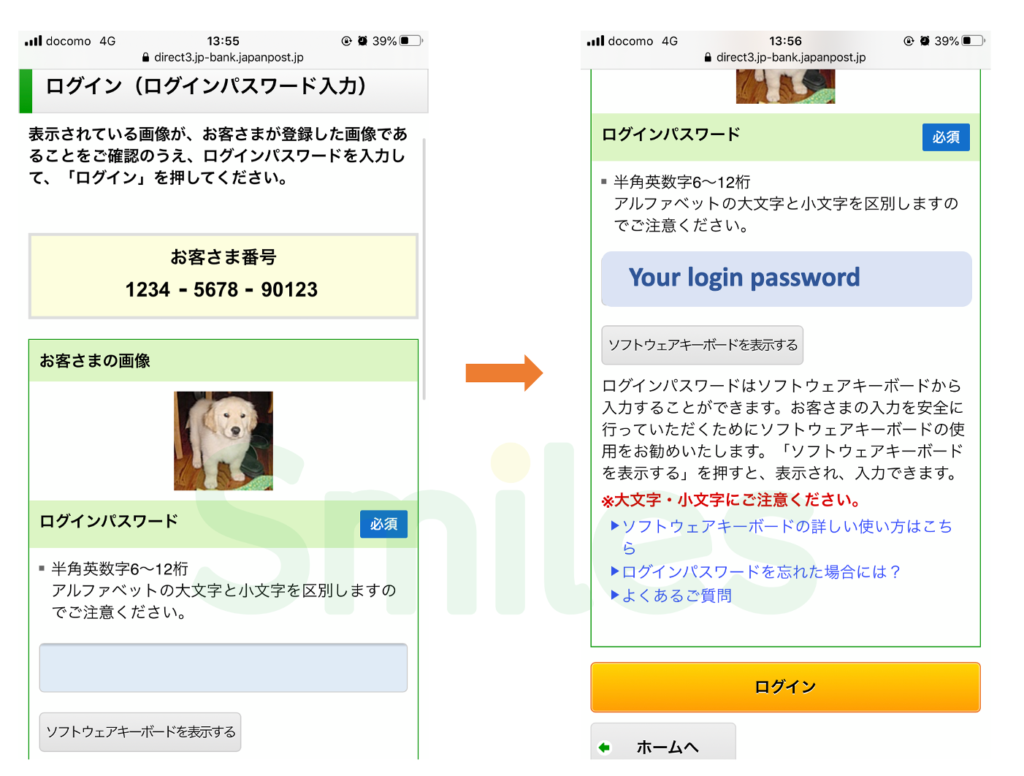
Step 4: Enter your password > Press ログイン button.
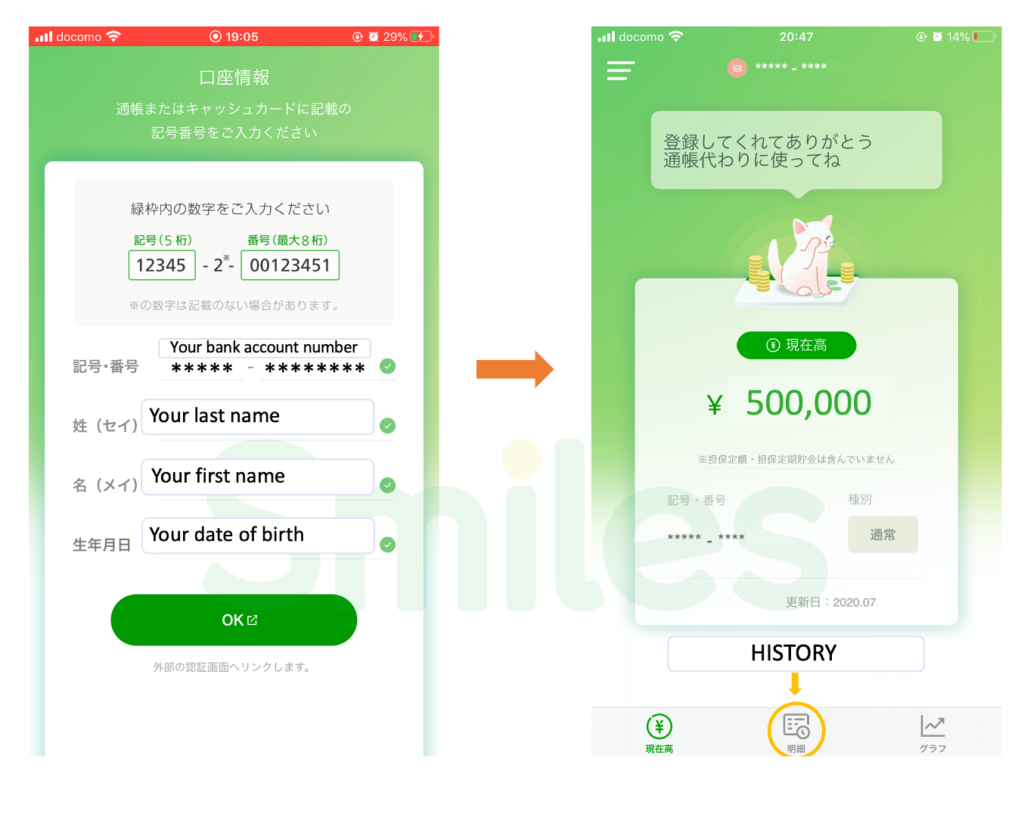
Step 5: Insert your bank account information as shown in the picture below.
Today's rate
1 JPY = 0.4 PHP
2026 September 19, Sat 12:20Ready to send money overseas? Smiles makes sending money fast, safe, and convenient.